The US visa photo size is a square: 2 × 2 inches, or 51 × 51 mm, in print, and at least 600 × 600 pixels for the digital copy that goes into the DS-160. Both come from the U.S. Department of State, Bureau of Consular Affairs, and describe one picture: two inches at 300 pixels per inch, the scanning density it names, is exactly 600 pixels.
The boxes here already read 2 × 2 inches and 300 DPI, with “Crop to fill” on. A dropped photo is cut to a square from the centre, brought to 600 × 600 pixels and given 300 DPI inside the file, so a lab prints it at two inches. Head size, background and the age of the photo remain your job.
Before and after
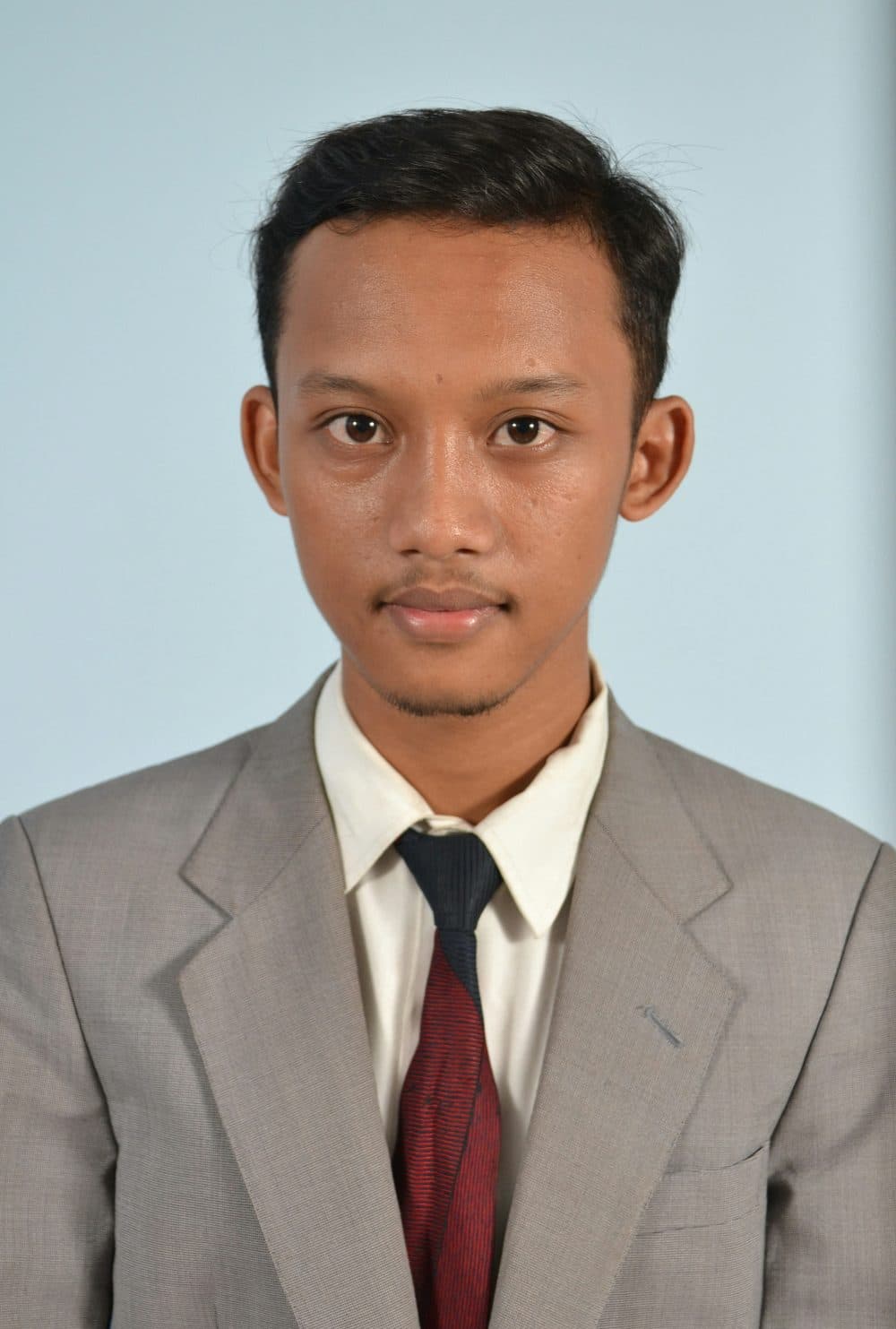
2400 × 3559 px966 KBJPG
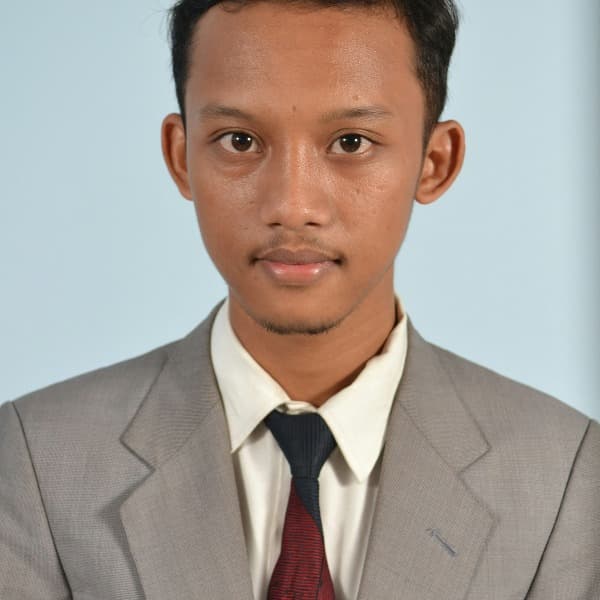
600 × 600 px70.4 KBJPG
The dashed frame on the left marks the part that fits the new shape. It was scaled to exactly 600 × 600 px, and the top and bottom outside the frame were trimmed.
The file went from 966 KB to 70.4 KB.
The image on the right is the actual file the tool above produced.
How to use it
- Choose a recent photo taken face-on against a plain white or off-white wall, with the whole head, top of the shoulders and space above the hair.
- If the face sits off-centre or the picture shows the whole body, crop a 1:1 square on the crop page first, head filling half to two-thirds of it.
- Drop the picture in; it is trimmed, scaled to 600 × 600 and given 300 DPI.
- Check pixels and KB on the result card, then download. For 1200 × 1200, enter 600 as the DPI and press Resize.
What the Department of State asks for, on paper and on screen
In print, the Bureau of Consular Affairs gives 2 x 2 inches (51 x 51 mm), a head of 1 inch to 1 3/8 inches (22 mm to 35 mm) from chin to top of head, a plain white or off-white background and a photo taken within the last 6 months. The digital upload must be a square JPEG of 600 x 600 pixels minimum with the head at 50 %–69 % of the image height; a print may be scanned at 300 pixels per inch. A maximum pixel size is also named; check it on the DS-160 upload screen.
The Diversity Visa entry adds a weight limit to the same square: 600x600 pixels, JPEG, in colour (sRGB), 240 KB maximum, head 50 %–69 % of the image height, and two printed 2 x 2 inch photos at interview. A 600 × 600 JPG from this page normally lands well under that cap; sample pictures weighed about 30 to 180 KB, most near 70 KB, while at 1200 × 1200 roughly a third passed 240 KB, so for a DV entry stay at 600.
Green card prints, and where the head sits
A green card photo, the print filed with Form I-485, is the same frame. The USCIS instructions for that form, edition of 09/18/26, ask for two identical colour passport-style photographs, 2 by 2 inches with a full face, frontal view, white to off-white background, printed on thin paper with a glossy finish, unmounted and unretouched, name and A-Number printed lightly on the back. The DS-160, the DV entry and the I-485 share one square.
This tool cuts and scales; it does not find the face or measure the head, so the chin-to-crown rule is yours. On a 2-inch square a 1 to 1 3/8 inch head spans half to just over two-thirds of the height, leaving a thin band above the hair and roughly the bottom third for the shoulders. The I-485 instructions also put the eyes 1 1/8 to 1 3/8 inches from the bottom edge, slightly above centre.
What the square trim removes, and the file that comes out
An upright phone photo is 3:4, so squaring it drops a quarter of the height in two equal strips, top and bottom, and keeps the full width. Framed tight, the strip takes the crown, which cropping the square yourself first avoids. A landscape shot loses width, usually a shoulder each side. Nothing else changes: the wall is not whitened and no feature is smoothed, which suits the unretouched print the I-485 describes.
Pixels are inches times DPI, so the same 2 × 2 print is 600 × 600 at 300 DPI and 1200 × 1200 at 600, and each file carries its DPI for the print. A JPG or HEIC source returns as JPG; a PNG stays PNG and should be converted to JPG first. Where a form caps the file, the KB reducer takes it under any figure you type, 240 included; that copy loses its DPI, so keep this one for printing.
Frequently asked questions
- What is the US visa photo size in pixels?
- At least 600 × 600, square, JPEG; this page makes exactly that from 2 × 2 inches at 300 DPI. A DPI of 600 gives 1200 × 1200; check the maximum on the DS-160 upload screen first.
- What is 2 inches by 2 inches in pixels?
- 600 × 600 at 300 DPI, 400 × 400 at 200 and 1200 × 1200 at 600. Use 300 for a visa photo: it meets the 600 × 600 minimum and prints at the right size.
- Is the DS-160 photo size the same as the green card and DV lottery photo size?
- In shape and inches, yes: each is a 2 × 2 inch square with the head at half to just over two-thirds of the height. The file rules differ: the DV entry caps the JPEG at 240 KB, the DS-160 takes a digital file of at least 600 × 600, and the I-485 wants two glossy prints with your name on the back.
- Does the tool check the head size?
- No. It trims and scales without looking for the face. On the preview, chin to top of hair should span half to two-thirds of the height; if not, re-crop on the crop page and resize again.
- My DV photo is over 240 KB. What now?
- Open the KB reducer, type 240 and add the file. It finds the JPG quality that fits and scales down only if quality alone cannot get there, which a 600 × 600 file rarely needs.