The UK visa photo size on GOV.UK is a digital file at least 600 pixels wide and 750 pixels tall, saved as a jpg or jpeg, between 50KB and 6MB, and vertically orientated. That guidance, published by UK Visas and Immigration on 12 February 2026, gives no millimetre figure because it describes that file, not a print; the photo can be from a phone or tablet.
Add a photo and it is cut to the 4:5 shape of that frame and saved at exactly 600 × 750 pixels, equal strips coming off opposite edges. An upright phone photo is 3:4, a little taller, so it keeps its full width and loses a sixteenth of its height, half above the hair and half below the chest. Nothing here finds the face or measures the head; it sits where your picture puts it.
Before and after
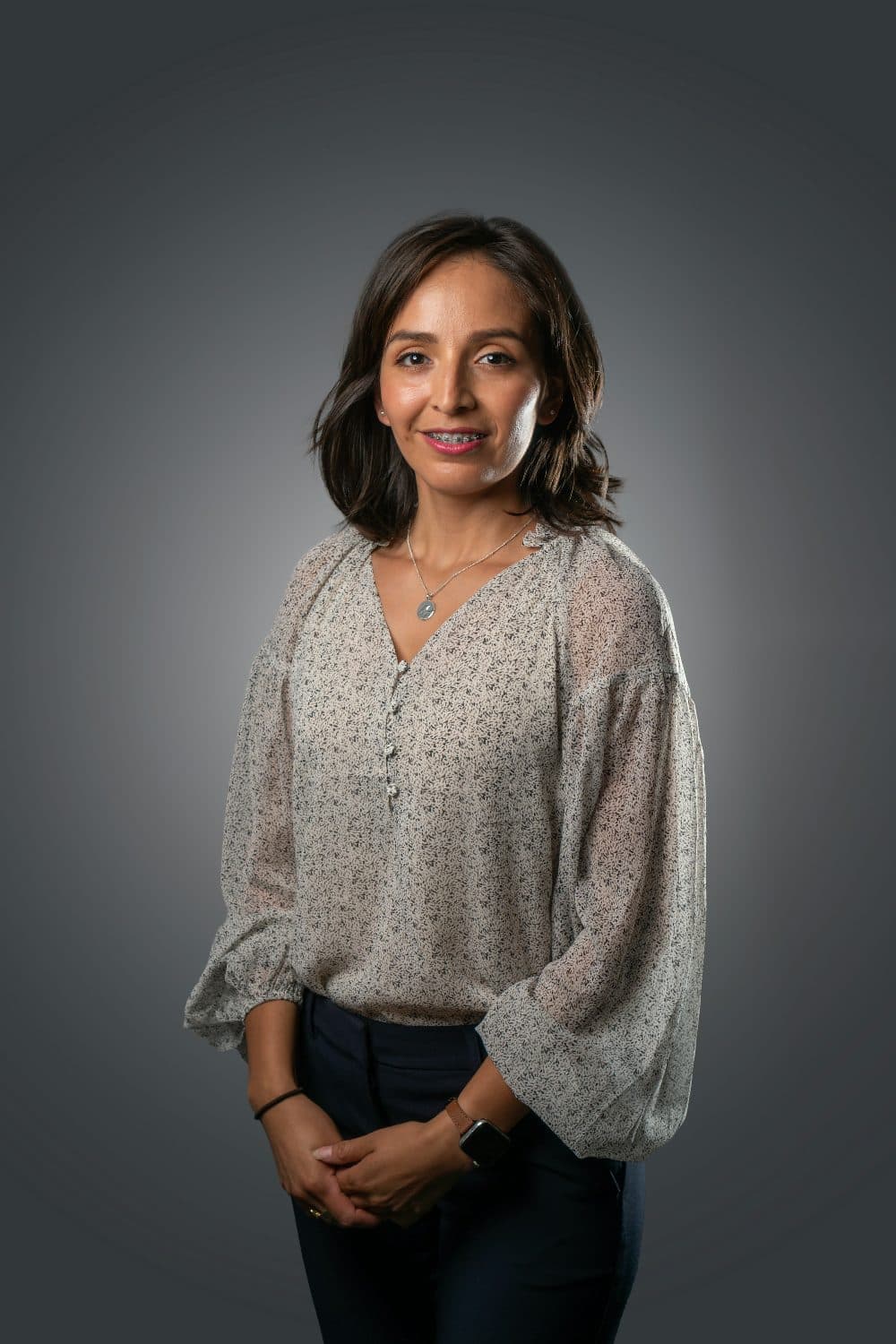
2400 × 3600 px925 KBJPG
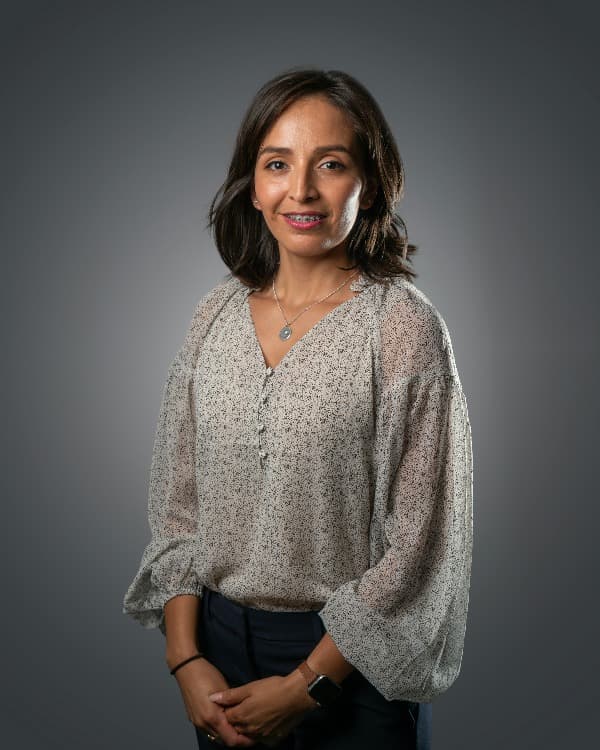
600 × 750 px100 KBJPG
The dashed frame on the left marks the part that fits the new shape. It was scaled to exactly 600 × 750 px, and the top and bottom outside the frame were trimmed.
The file went from 925 KB to 100 KB.
The image on the right is the actual file the tool above produced.
How to use it
- Have someone else take the photo on the rear camera, in a bright room, against a pale wall, with your head, shoulders and the top of your chest in view.
- Add the file; it is processed on arrival, with 600, 750 and px filled in and Crop to fill on.
- Check the preview: whole head with room above it, both shoulders and some chest below. If the head fills the frame or sits off-centre, cut the photo to 4:5 on the crop page first.
- Read the result card: 600 × 750, and check the KB figure sits between 50KB and 6MB, then download.
What the guidance asks for, line by line
The formatting section has four lines: at least 600 pixels wide and 750 pixels tall, at least 50KB and no more than 6MB, a jpg or jpeg file, and vertically orientated; the photo must not be mirrored or flipped. It must also be clear and in focus, in colour, taken in a well-lit room, and not altered by computer software, a filter being the example.
It must show your head, shoulders and upper body against a plain light-coloured background, and must not be a scan or photo of another photo of you, nor the same photo that is in your passport or identity card. Expression plain, mouth closed, eyes open and unhidden by hair, no shadows, no head covering unless for religious or medical reasons, no glasses unless you must.
Two things people search for are absent: a head-height rule, in millimetres or as a percentage, and a limit on the photo’s age. The one-month rule seen in searches belongs to the passport photo page; the visa guidance does not repeat it.
Framing the head for a 4:5 frame
The frame is 0.8 wide for every 1 tall and a 3:4 portrait is 0.75, so the trim is slight: a 3000 × 4000 photo keeps all 3000 columns and 3750 of its 4000 rows, 125 off the top and 125 off the bottom. A landscape 4:3 shot keeps only three fifths of its width, so an ear or a shoulder usually goes; retake it upright.
Because the guidance wants shoulders and upper body in view, the head should not fill the frame as a passport print does. Put the top of the hair a little below the upper edge, the chin near the middle and the shoulders in the lower half, so the head takes about half the height; our reading of the page, not a rule on it. Any chin-to-crown figure is yours to set with the crop tool before resizing here.
600 × 750 is the floor and this page lands on it exactly; for a larger file of the same shape, type 1200 and 1500. The size is set in pixels, so no DPI is stored, and the size in centimetres has no fixed answer: at 300 DPI it would print at 2 × 2.5 inches, and the guidance never mentions paper, matte or glossy.
File weight and file type
A 600 × 750 JPG of a face on a plain wall typically weighs 60KB to 150KB, above the 50KB floor and far from 6MB. A very smooth picture, or one squeezed by a chat app, can land under 50KB; the KB increase tool raises quality, and pixels if needed, until it clears the minimum you type.
The output format follows the input: a JPG stays a JPG and an iPhone HEIC is saved as a JPG. A PNG stays a PNG, and the form takes only jpg or jpeg, so run one through the JPG converter first. Phone photos come out upright; nothing is mirrored, flipped or filtered.
Frequently asked questions
- What is the UK visa photo size in pixels?
- At least 600 × 750 pixels, a minimum rather than an exact size. This page makes exactly 600 × 750; enter 1200 × 1500 for a bigger file of the same shape.
- Is a UK visa photo 35 × 45 mm?
- Not in the visa guidance, which describes a digital file and gives no millimetres. 45 millimetres high by 35mm wide, head 29mm to 34mm, is HM Passport Office’s rule for printed passport photos on a paper application; the visa page does not say it carries over. For a paper form wanting a print, use the 3.5 × 4.5 cm page.
- Does cropping count as altering the photo?
- The guidance bans alteration by computer software, giving a filter as its example, without saying where framing ends and altering begins. This page changes only the frame and the pixel count: no retouching, brightening or background change.
- My selfie is mirrored. Will it be refused?
- The guidance says the photo must not be mirrored or flipped, and some phones save selfies as a mirror image. Nothing here flips a picture back, so retake it with the rear camera, ideally held by someone else.
- Can I reuse my passport photo or scan a print?
- No to both; the page rules out scans and photos of other photos, and the picture already in your passport or identity card. Take a new one on a phone or tablet.