The 4:5 aspect ratio is a frame four units wide and five units tall: a little squarer than a 3:4 portrait, and the tallest shape Instagram shows in the feed without trimming. Most people looking it up want two things, the pixel sizes that count as 4:5 and a way to cut a photo they already have to that shape without guessing. Both are here.
Add a picture and the largest 4:5 area is cut from its centre straight away, at the original resolution. If the subject sits to one side, drag the frame and crop again. Below the tool is a table of 4:5 sizes and where each one is used, from the 1080 × 1350 Instagram post to the 320 × 400 pixel photo some application forms ask for.
Before and after
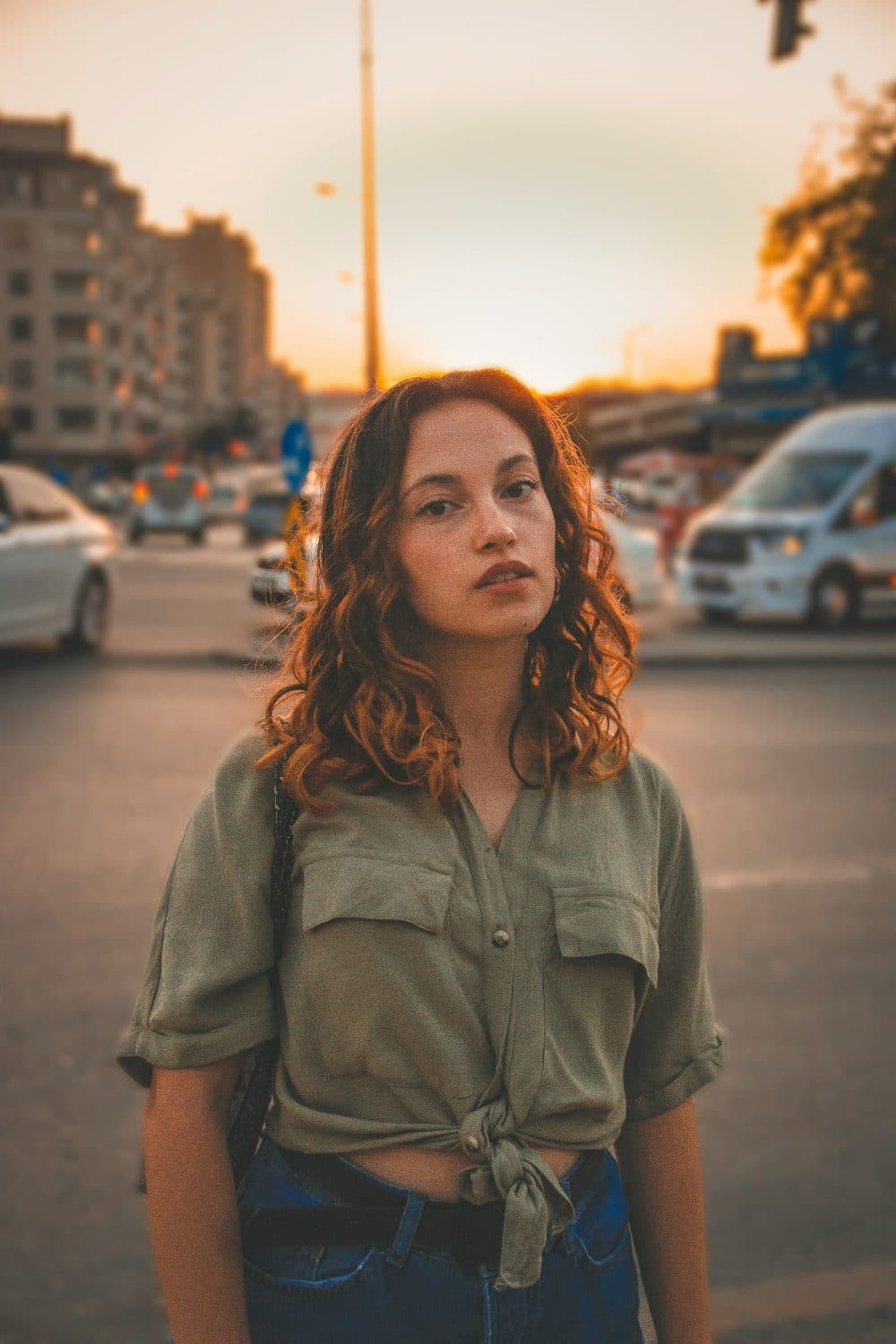
2400 × 3600 px1.23 MBJPG
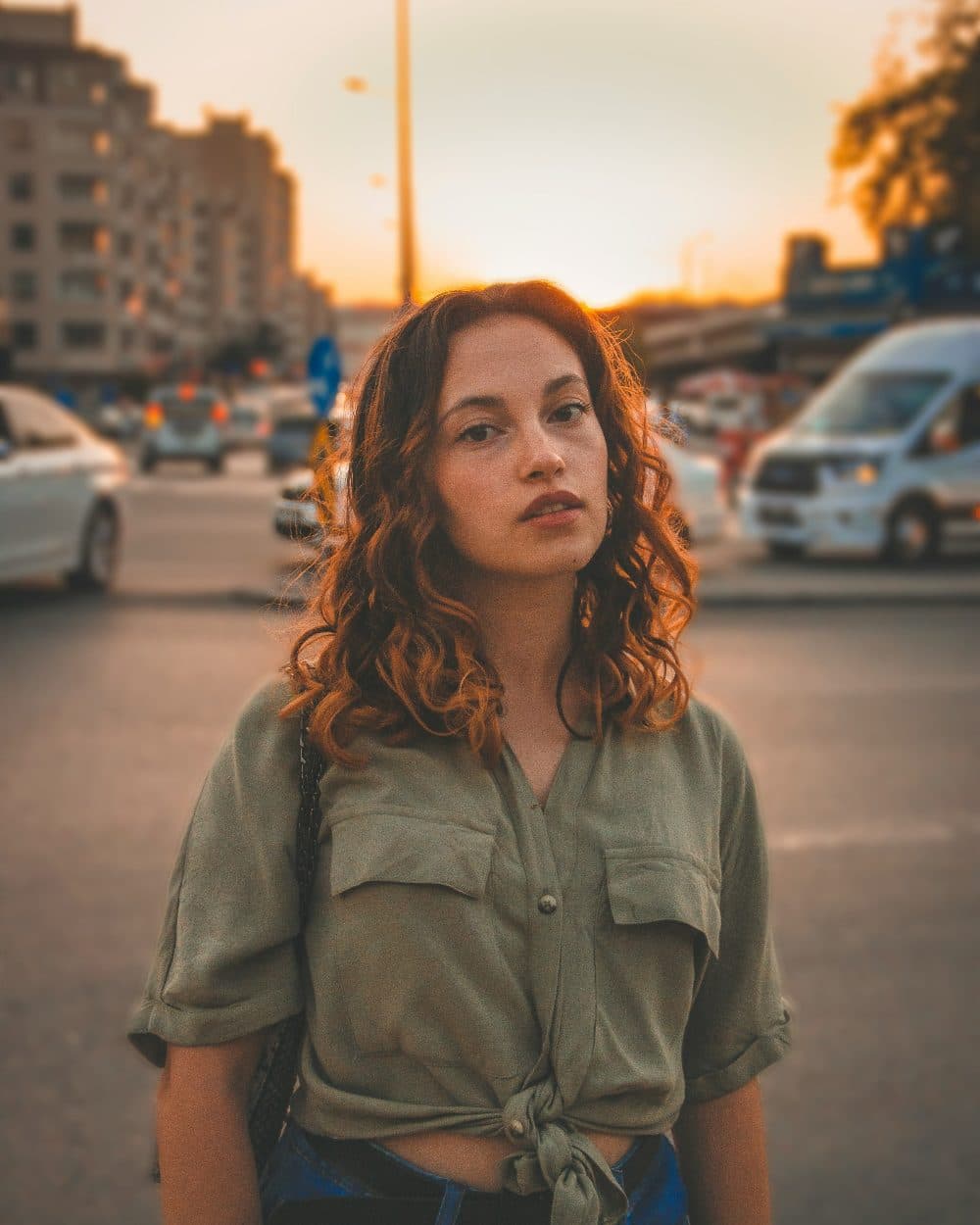
2400 × 3000 px1.29 MBJPG
The dashed frame on the left marks the part that was kept: 2400 × 3000 px out of the original 2400 × 3600 px.
The kept part is not scaled up or down.
The numbers are from a real run of the tool above. The pictures here are smaller previews of the actual files.
How to use it
- Add the photo above. A centred 4:5 crop appears at once; nothing is scaled, so the pixel count stays as high as the original allows.
- Look at the preview. If a head or an object has been clipped, drag the frame to where it should sit and press Crop again.
- Download the file. It is saved in the format you added, JPG as JPG and PNG as PNG.
- Need an exact pixel size as well, such as 1080 × 1350? Open the resize page for that size and add the cropped file there.
What counts as 4:5
A picture is 4:5 when its width multiplied by five equals its height multiplied by four, which is the same as saying the width is 0.8 of the height. The order matters: 4:5 is upright, 5:4 is the same frame turned on its side. Whole-pixel sizes that fit exactly include 320 × 400, 480 × 600, 640 × 800, 864 × 1080, 1080 × 1350, 1200 × 1500, 1600 × 2000, 2400 × 3000 and 4000 × 5000. Any other pair can be checked with the same sum, and a difference of a pixel or two is invisible in practice.
On paper the proportion is better known by its inch sizes. A 4 × 5 inch print and an 8 × 10 inch print are both 4:5, which is why photographers say “four by five” for the large-format film sheet of that size and why 8 × 10 enlargements fit standard frames without a border. A digital file of 2400 × 3000 pixels prints an 8 × 10 at 300 dots per inch.
Where 4:5 is asked for
Instagram accepts feed photos from 1.91:1 landscape up to 4:5 portrait, and 4:5 is the one that fills the most screen, which is why 1080 × 1350 became the standard portrait post. The profile grid now previews posts at 3:4, so a 4:5 image loses a thin strip at the top and bottom in the grid while the full photo still opens at 4:5. Keep faces away from the very top and bottom edges and both views look right.
Some application forms use the ratio too. India Post’s GDS online engagement notification for Schedule-II, July-2026 asks for a photograph of 320 × 400 pixels at a 4:5 aspect ratio, between 30 KB and 100 KB. A crop made here gives the shape; the resize page for pixels gives the exact count, and a compress page brings the file inside the weight band if needed.
Compared with its neighbours, 4:5 is squarer than 3:4 (0.75) and much squarer than a 9:16 story (0.5625). Pick 4:5 for a single feed photo, 3:4 for a phone-camera portrait or a grid preview, and 9:16 for stories and reels. The crop tool on the main crop page switches between all of them.
Cropping without losing the subject
Starting from a landscape photo costs the most. A 4000 × 3000 shot keeps a 2400 × 3000 slice from the middle and discards 800 pixels on each side, so a subject near an edge is lost unless the frame is moved. A portrait phone photo of 3000 × 4000 is already close: 4:5 keeps 3000 × 3750 and trims 125 pixels from the top and the bottom.
The cropped area is kept pixel for pixel, so nothing is softened by scaling; the file is simply re-saved, at high quality for JPG. If the result should also be a set size, do the crop first and the resize second. Cropping after resizing throws away pixels you have already paid for, and resizing with “Crop to fill” on the 1080 × 1350 page does both steps in one go when the centre crop is what you want.
Frequently asked questions
- Is 4:5 the same as 4x5?
- Yes, as a shape. 4x5 usually refers to the 4 × 5 inch film or print size and 4:5 to the proportion, but both describe a frame four units wide and five tall. 5:4 is the landscape version.
- What is 4:5 in pixels for Instagram?
- 1080 × 1350 is the size Instagram displays a portrait post at. Larger files such as 2160 × 2700 are scaled down on upload; smaller ones such as 864 × 1080 are shown slightly enlarged. Any pair where width × 5 equals height × 4 is accepted.
- Why does my 4:5 photo look cut off in my profile grid?
- The grid previews posts at 3:4, which is a little taller and narrower than 4:5, so the thumbnail trims a strip from the top and bottom. Opening the post shows the whole 4:5 image. Keeping the subject away from the top and bottom edges avoids awkward thumbnails.
- Is 4:5 portrait or landscape?
- Portrait. The first number is the width, so 4:5 is taller than it is wide. A landscape photo added here is cropped to an upright 4:5 slice from its centre, and a good part of both sides is discarded.
- Can I make a landscape photo 4:5 without cropping anything?
- Not with this tool. Keeping the whole picture inside a 4:5 frame means adding bands above and below it, which is a job for an editor that can enlarge the canvas. Stretching the picture to fit distorts it and is not offered here.
- Does cropping to 4:5 reduce the quality?
- No pixels inside the frame are changed or scaled. The file is re-saved, so a JPG is encoded again at high quality, and a PNG stays lossless. Resolution only drops if you resize afterwards.