The Australia visa photo size that counts for an online application is a pixel figure, not a print measurement. The Department of Home Affairs help text for the photograph attached online asks for a digital JPEG between 70 KB and 3.5 MB with a preferred resolution of 1200 × 1600 pixels, a 3:4 rectangle, the shape of a phone photo taken upright. The 35 × 45 mm print that photo sites quote is for paper forms, not the upload.
Drop a portrait here and it is cut to 3:4 from the centre and scaled to exactly 1200 × 1600; an upright phone photo is already that shape, so it is only scaled down. Framing stays your job: the tool does not measure the head or judge the background, so crop closer or looser first if the preview looks wrong.
Before and after
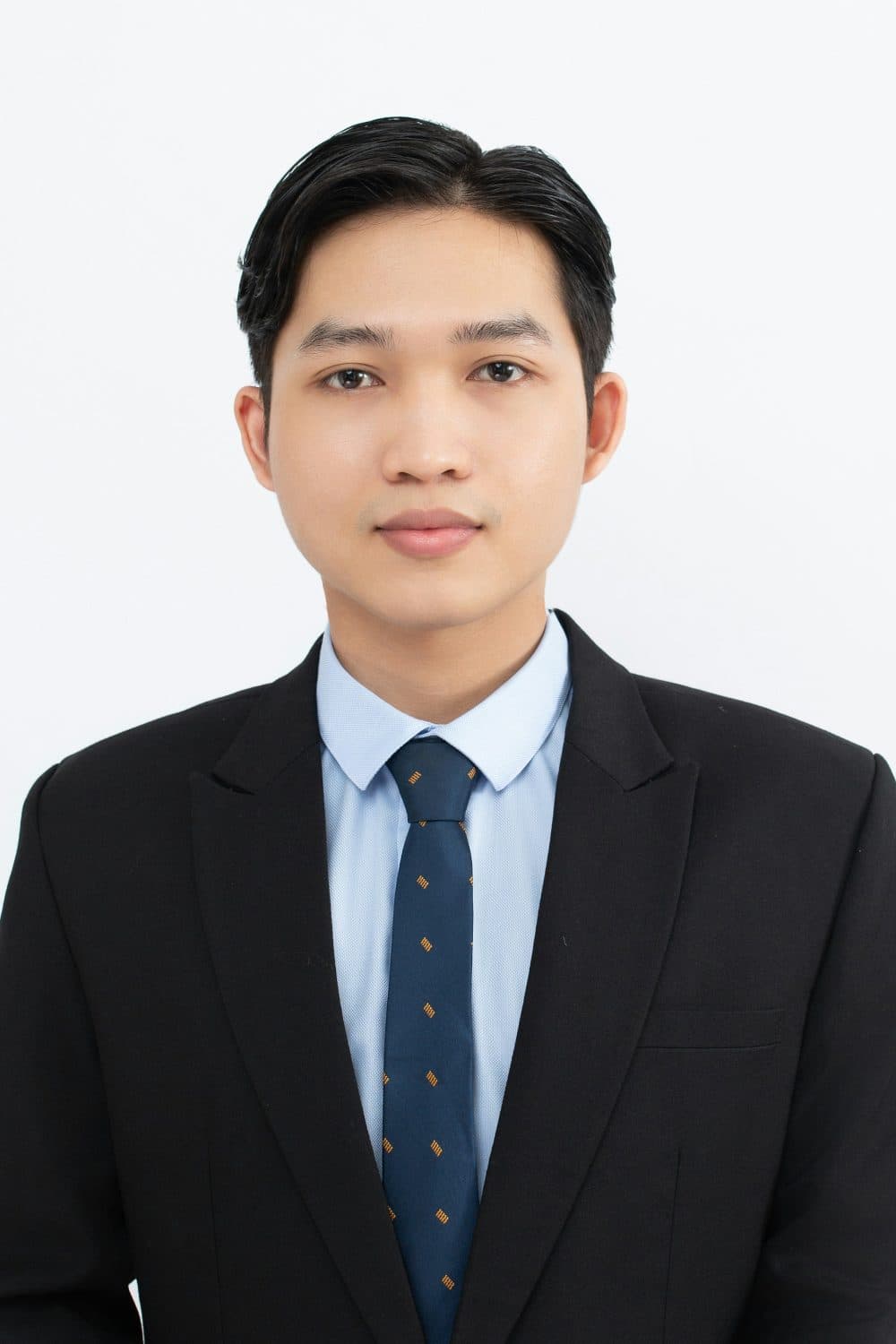
2400 × 3599 px833 KBJPG
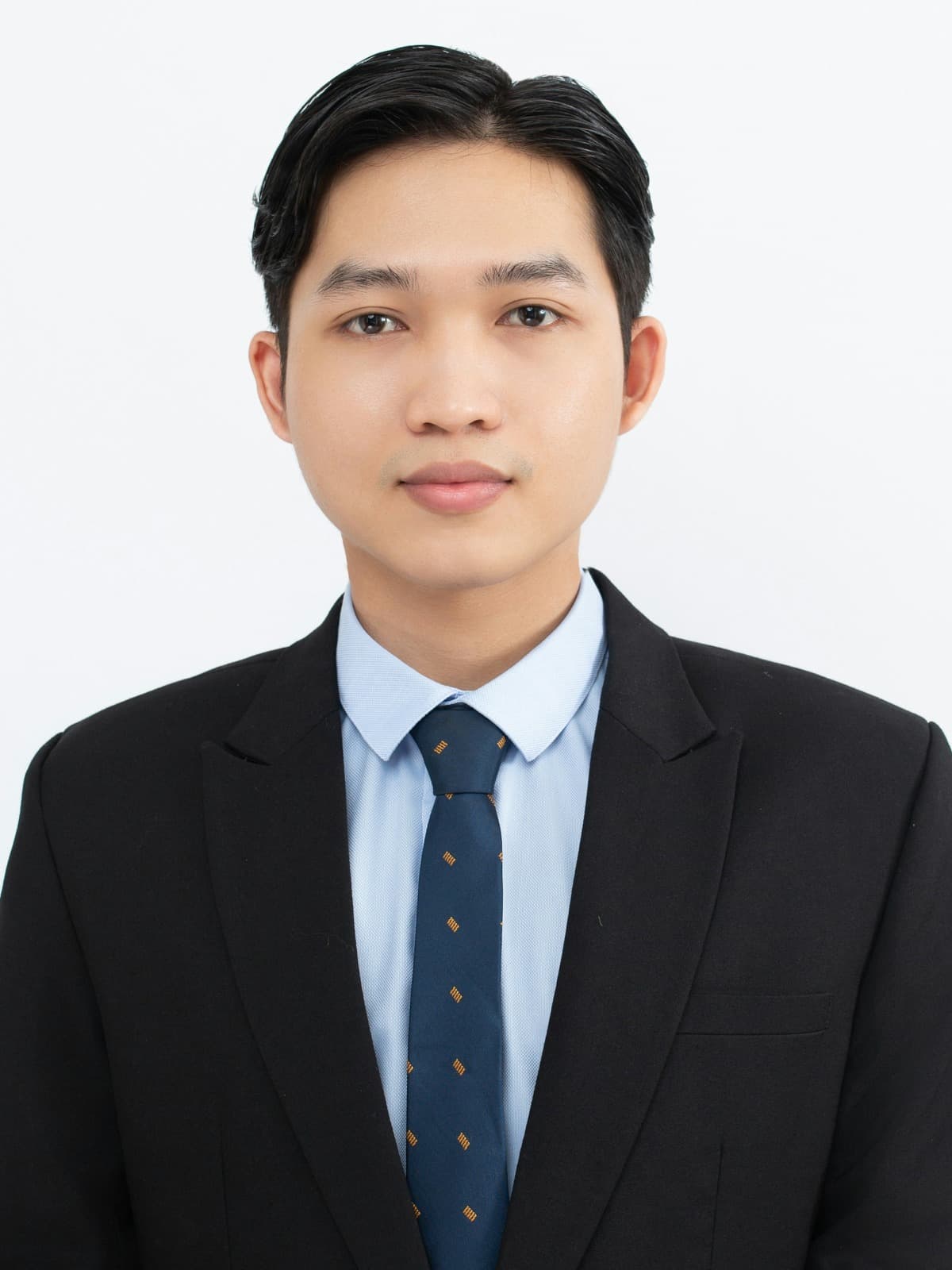
1200 × 1600 px275 KBJPG
The dashed frame on the left marks the part that fits the new shape. It was scaled to exactly 1200 × 1600 px, and the top and bottom outside the frame were trimmed.
The file went from 833 KB to 275 KB.
The image on the right is the actual file the tool above produced.
How to use it
- Start from the camera file, taken within the last six months against a neutral or light grey wall, head and shoulders in view.
- Add it here. Width 1200, height 1600, pixels and “Crop to fill” are preset, so the resize runs as the file arrives.
- Check the preview: the face should sit in the upper middle with space above the hair. If it is too small or too close, cut the original on the 3:4 crop page first.
- Read the result card: 1200 × 1600 and a weight between 70 KB and 3.5 MB. Download and attach the file in the Photograph section.
What the Home Affairs help text asks for
The help text for the online photograph, last updated in December 2025, lists the rules: “in digital JPEG format between 70Kb and 3.5Mb, the preferred resolution is 1200x1600 pixels”; no more than 6 months old; a full-face view of the applicant’s head and shoulders; in colour, against a neutral or light grey coloured background that contrasts with the face; and unedited, which the department spells out as background, moles, wrinkles, scars or red eyes not being removed. Glasses come off unless medically necessary; a religious head covering is allowed when the whole face is visible.
Two things the text leaves out. There is no chin-to-crown measurement; a full-face view of head and shoulders is the only test. And 1200 × 1600 is called preferred, not mandatory, but it is the only figure published, so nothing is gained by sending another.
Why a scan is refused, and what unedited rules out
The help text closes its rules plainly: only upload a digital copy of the photograph; a scan of a photo or a photograph of a photo is not acceptable. A scanned print carries paper texture and a colour cast; a phone picture of a print adds glare. Upload the file the camera made, or the digital copy a studio emails you; the department recommends a professional provider such as an Australian Post Office.
Unedited covers more than retouching. A white background painted in, smoothed skin and brightened eyes are all edits, and several photo sites sell exactly those. Cropping and scaling, all this page does, change which part of the picture is kept and how many pixels describe it, not what is in it. A cluttered wall calls for a new photo, not a painted one.
The 3:4 frame, the paper-form photo and file weight
1200 × 1600 reduces to 3:4 and holds 1,920,000 pixels. Other shapes lose something to the centred cut: a square picture drops an eighth of its width at each side, a landscape 4:3 shot about a fifth, and a 9:16 frame an eighth from top and bottom, which can take the hair. A 35 × 45 mm studio file is 7:9, a little wider, and loses under 2 per cent per side. A forwarded copy smaller than this is enlarged and looks soft; start from the original.
Paper forms are a separate case: a recent passport photograph of 45mm x 35mm, head and shoulders only, less than six months old, with the name of the person printed on the back. Use the millimetre resizer at 35 × 45 and 300 DPI, print at actual size, and write the name with a pen. On weight, sample pictures at 1200 × 1600 came out between roughly 110 KB and 510 KB, well inside the window; a sharp phone photo scaled down is likely to weigh more, and the result card gives the exact figure. A PNG stays a PNG here and is not what the form wants, so convert it to JPG first; iPhone HEIC comes out as JPG.
Frequently asked questions
- What is the Australian visa photo size in pixels?
- 1200 × 1600 pixels, the preferred resolution in the Department of Home Affairs help text, as a JPEG between 70 KB and 3.5 MB. This page produces exactly that.
- What is the size in cm, mm or inches?
- The upload is measured in pixels only, and no DPI is written into it here. The one millimetre figure in the help text is the paper-form photograph of 45mm x 35mm, which is 4.5 × 3.5 cm or about 1.77 × 1.38 inches.
- Is the photo size different for Indian, Bangladeshi or Filipino applicants?
- No. The help text makes no distinction by nationality; it gives one set of rules for each applicant, including children.
- How big should my head be in the 1200 × 1600 frame?
- The help text gives no measurement, only a full-face view of head and shoulders. As a guide, a face that fills roughly half the height, eyes a little above the centre line and clear space over the hair, looks like a standard passport photo. Set that framing on the 3:4 crop page first.
- What if the result card shows under 70 KB or over 3.5 MB?
- Under 70 KB usually means a very plain picture; the KB increase tool brings it up. Over 3.5 MB is unlikely for a JPG at this size, but a PNG can get there, so convert it to JPG first or use the 2 MB compressor.