Meta’s help page puts the Facebook cover photo size at 851 pixels wide and 315 pixels tall, the sRGB JPG it says loads fastest on a Page. The boxes above hold those numbers: a photo or a banner is scaled to 851 pixels across, the surplus height cut equally from top and bottom, ready for a Page or a personal profile.
The same page sets a floor of 400 × 150 pixels, describes a 16:9 display on a computer and 2.4:1 on a phone, and warns that the profile picture sits over the left-hand end. So part of the strip is hidden on every screen and only the middle shows everywhere; faces and lettering belong there.
Before and after
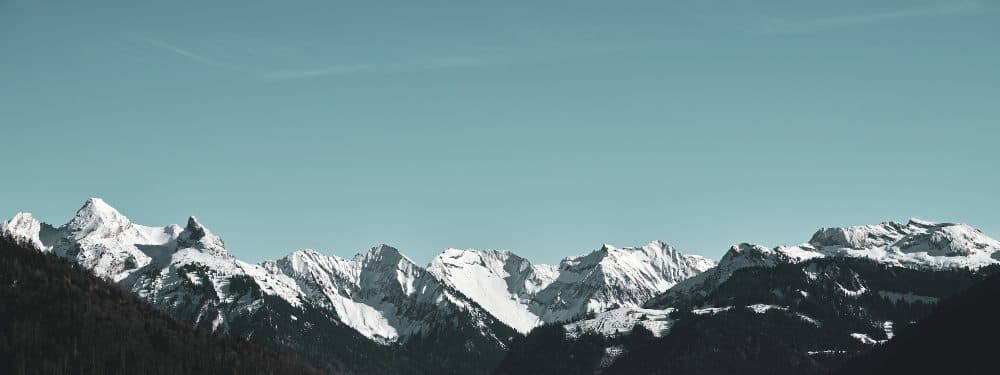
2400 × 899 px226 KBJPG
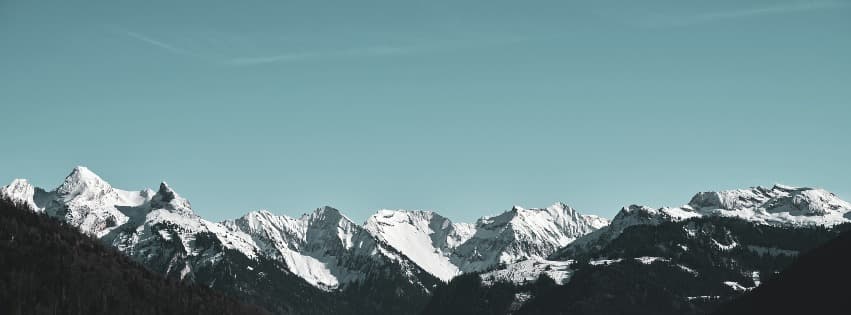
851 × 315 px51.2 KBJPG
The dashed frame on the left marks the part that fits the new shape. It was scaled to exactly 851 × 315 px, and the top and bottom outside the frame were trimmed.
The file went from 226 KB to 51.2 KB.
The image on the right is the actual file the tool above produced.
How to use it
- Pick a wide landscape photo, a banner export or a screenshot. The format follows the file: a PNG design stays PNG, a phone JPG stays JPG.
- Nothing needs setting. When the file lands it is fitted to 851 × 315, scaled to the width and trimmed above and below the centre.
- Check the preview with a Page in mind: the left-hand end sits under the profile picture and the far right can be clipped on either screen. If something matters there, cut the band you want with the crop tool first.
- Download the file. For the fastest load Meta describes, anything over 100 KB can go through the 100 KB compress page first.
What Meta’s help page says, and what it leaves out
For a Page the help page lists one recommended file: 851 pixels wide, 315 pixels tall, an sRGB JPG under 100 kilobytes. The smallest it accepts is 400 × 150 pixels. For a personal profile the cover-photo help page gives one figure, a width of at least 720 pixels, so an 851 × 315 file clears both.
It gives no display size in pixels, no upload limit beyond the loading-speed advice, and nothing for group or event covers. Guides that quote a desktop width, a mobile height or a group size are working from their own measurements, which can change when the app is redesigned.
Why the ratio of the file is not the ratio of the screen
851 × 315 is a 2.7:1 strip; both displays the help page describes are squarer. Filled by height, a 2.4:1 frame 315 pixels tall is 756 pixels wide and a 16:9 frame only 560, so the right-hand end falls outside both, further on a computer. The page says the cover is left-aligned with a full bleed and “may be cropped and resized to fit different screens”, but gives no fitting method and no display pixels, so the right-hand end and the top and bottom edges are at risk on either screen.
The profile picture then covers the left-hand end by approximately 40 pixels on mobile devices, the page says; it gives no figure for computers. A face, a name or a line of text is safest within the middle 60 per cent of the width, clear of the bottom-left corner and 30 pixels in from the top and bottom.
What crop to fill removes, and how heavy the file is
A 2.7:1 frame is wider than a normal camera frame, so crop to fill nearly always takes height. A landscape phone photo at 4:3 keeps the middle half of its height, a 16:9 screenshot two thirds, and a square little more than a third. A 3:4 phone portrait keeps a band only 28 per cent as tall as the original, so cut the band with the crop tool or set the portrait inside a banner drawn at 851 × 315.
At 851 × 315 the file holds about 268,000 pixels, so a photographic JPG saved here typically lands between 60 and 150 KB. The under-100-kilobyte figure is loading advice; the page sets no upper limit. For a sharper look on high-density screens, type 1702 and 630 into the boxes: plain doubling, the same 2.7:1 shape, not a size the help page lists.
Frequently asked questions
- What is the Facebook cover photo size in pixels?
- 851 wide by 315 tall for a Page, the size Meta’s help page says loads fastest. The floor is 400 × 150, and a personal profile cover must be at least 720 pixels wide. The page sets no maximum; 1702 × 630, the same 2.7:1 shape doubled, breaks no rule it states.
- Is the Facebook cover photo size different for mobile?
- The file is the same; the display is not. The help page’s 2.4:1 phone frame and 16:9 computer frame are both squarer than the 2.7:1 file. On a phone the right end is clipped and about 40 pixels of the left sit under the profile picture; a 16:9 frame cuts more from the right.
- What is the cover size in cm or inches?
- It has none; a cover is only ever shown on a screen. If an editor insists on a document size, 8.86 by 3.28 inches at 96 DPI gives 851 × 315 pixels, and 22.52 by 8.33 cm the same; Facebook reads only the pixel count.
- Should the cover be a JPG or a PNG?
- Meta’s page names an sRGB JPG as the fastest-loading file and says a PNG may do better for a logo or text. Leave a photograph as JPG; a flat-colour design export can stay PNG, and this page keeps it that way.
- Does this size work for a group cover or an event cover?
- The help page gives no pixel size for either. The event cover page cuts to 1920 × 1005, a squarer banner than 2.7:1, so a strip made here would be re-cropped in the event editor; check its preview. For a group, match the shape the group editor previews.
- My picture is narrower than 851 pixels. Will it still work?
- It is enlarged to 851 wide, which softens it. Because the floor is 400 × 150, a 640-pixel-wide picture can instead be typed as 640 by 237, the same 2.7:1 shape, unenlarged. Below 400 pixels wide only a larger original helps.