“Passport size” is how Indian forms describe a print 3.5 cm wide and 4.5 cm tall. It is the same box as 35 × 45 mm, roughly 1.38 × 1.77 inches, and the phrase turns up far beyond passports: identity card applications, exam registrations, admit cards and office paperwork ask for a passport size photograph and seldom say anything more. The shape is 7:9, a touch wider than an upright phone picture, so a portrait taken on a phone needs only a thin strip removed to fit.
Add a photo and this page does the rest at once. It trims the picture evenly to that 7:9 shape, scales it to 413 × 531 pixels and writes 300 DPI into the file, so a print shop’s software reads it as 3.5 × 4.5 cm. It does not touch the background, write a name and date on the picture, or arrange copies on a 4 × 6 or A4 sheet; how to handle those is explained below.
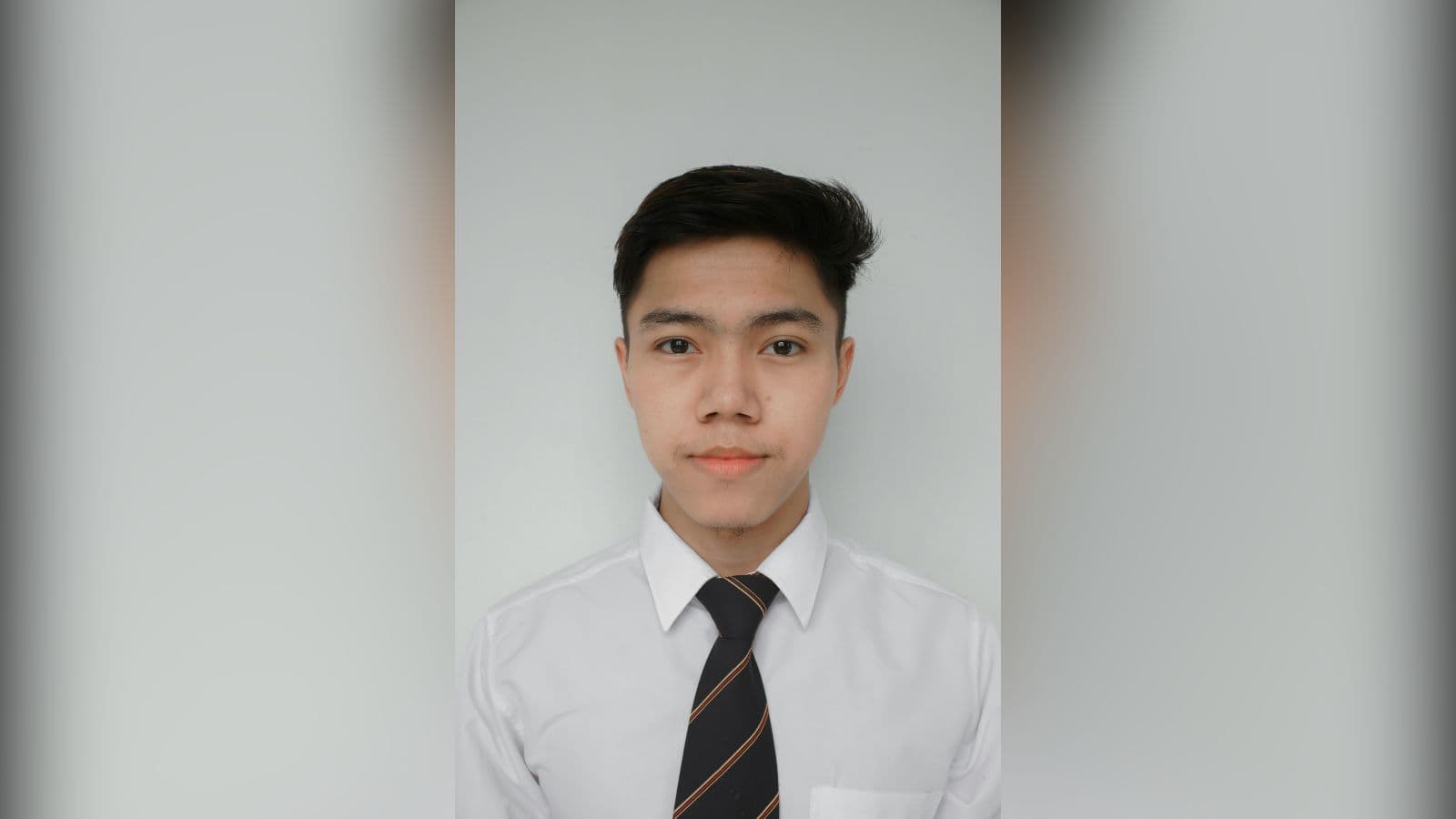
How to use it
- Start with a portrait in which the head and the top of the shoulders fill most of the frame. If the photo shows half your body, cut it down first with the crop tool on a free frame, leaving a little space above the hair.
- Add the photo here. The size is already set to 3.5 × 4.5 cm at 300 DPI with “Crop to fill” on, so it is processed the moment it arrives.
- Look at the preview: the crown and the chin must both be inside the picture, with the face in the middle. The result card should read 413 × 531 and 300 DPI.
- Download the file. Need another pixel count for the same box? Change the DPI to 200, 457 or 600 and press Resize; the width and height follow while the centimetres stay put.
Passport size in every unit, and the official Indian figures
3.5 × 4.5 cm equals 35 × 45 mm and about 1.38 × 1.77 inches. Count in half-centimetres and the sides become 7 and 9, which is the ratio: roughly 0.78 wide for every 1 tall. The pixel count depends on the DPI the photo is meant to print at: 276 × 354 at 200 DPI, 413 × 531 at 300 DPI and 827 × 1063 at 600 DPI. All three print at the same physical size; a higher DPI only buys finer detail and a heavier file.
Passport Seva, part of the Ministry of External Affairs, publishes two figures. Its Application Form Instruction Booklet V3.0 asks for one colour photograph of 4.5 cm length x 3.5 cm width pasted in the box on the form, with a plain white background, printed on good quality photo paper, and warns that a computer print will not be accepted. That pasted print applies only to forms handed in at a District Passport Cell, Speed Post Centre or Citizen Service Centre; the same booklet says no photograph is required for applications made at a Passport Seva Kendra or Post Office Passport Seva Kendra. Separately, its Guidelines for ICAO Compliant Photographs set the dimensions at 630*810 Pixels, in colour, with the face taking up 80-85% of the photograph, a white background and no alteration by computer software.
630 × 810 is the same 7:9 rectangle as 3.5 × 4.5 cm, only denser: about 457 pixels to the inch. Type 457 in the DPI box here and the result comes out at exactly 630 × 810 pixels while still printing at 3.5 × 4.5 cm. Not every passport size is this one. Schengen visa photos are also 35 x 45 mm according to German Missions in the United States, but the U.S. Department of State asks for visa photos of 2 x 2 inches, a square this page does not make.
What the centre crop takes, and what stays your job
The crop is always centred. An upright phone photo is 3:4, slightly narrower than 7:9, so it loses under 2 percent at the top and the same at the bottom. A square picture, such as a profile photo saved from a chat app, gives up about a ninth of its width on each side. A landscape 4:3 shot loses just over a fifth from each side, which is often an ear or a shoulder; if the face is not in the middle, crop it yourself before adding it here.
Nothing on this page edits the picture itself. Colours, light and background come out exactly as they went in, so a white background has to be there when the photo is taken: stand a step away from a plain white wall, facing a window, so no shadow falls behind you. A name and date, which some exam notices want printed on the photo, must be added in your phone’s editor first. For paper copies, take the file to a photo lab or kiosk and ask for it at actual size rather than “fit to page”; the stored 300 DPI tells their software the photo is 3.5 × 4.5 cm, and they can place several copies on one print.
Frequently asked questions
- What is the passport size photo size in cm and in pixels?
- In centimetres it is 3.5 wide by 4.5 tall. In pixels it depends on the DPI: 413 × 531 at 300 DPI, which is what this page makes, or 276 × 354 at 200 DPI. The Passport Seva photo guideline asks for 630*810 Pixels, the same shape with more detail.
- What is the aspect ratio of a passport size photo?
- 7:9, about 0.78 to 1. In half-centimetres 3.5 × 4.5 becomes 7 × 9, and 630 × 810 gives the same pair once divided by 90. It is close to the 3:4 of a phone portrait but not equal, so a 3:4 picture still loses a sliver at the top and bottom.
- How do I get exactly 630 × 810 pixels for the passport photo?
- Leave the unit on cm, change the DPI from 300 to 457 and press Resize: 3.5 cm at 457 DPI rounds to 630 pixels and 4.5 cm to 810. Tapping Pixels and typing 630 and 810 gives the same picture, only without a print size stored in it.
- Can it make the background white or add my name and date?
- No. This page only trims and rescales, so the background and the face look exactly as they did in the original. Take the photo against a white wall if white is required, and put any name and date on it with your phone’s markup tool before adding it here.
- Is a 2 × 2 inch photo the same as passport size?
- No. 2 × 2 inches is about 5.1 × 5.1 cm, a square that is both wider and taller than 3.5 × 4.5 cm; it is the size the U.S. Department of State gives for visa photos. Converting one into the other cuts part of the picture away, so go back to the original and use the inch resizer set to 2 × 2.
- How many KB is a passport size photo, and what if my form has a limit?
- It depends on the detail in the picture, and the result card shows the exact weight. As a rough guide, sample portraits at 413 × 531 came out between about 30 and 80 KB as JPG. If your form caps the file at 20KB or 50KB, pass the result through the KB reducer, which lowers JPG quality before it removes pixels; keep the uncompressed copy for printing, because the reduced one carries no DPI. A PNG original stays PNG here and weighs several times more, which the reducer also fixes by saving JPG.