One line in the bank recruitment notices accounts for nearly every request to resize image to 200x230 pixels. IBPS describes the photograph as “200 x 230 pixels (preferred); 4.5cm × 3.5cm” across the CRP PO/MT-XV, CSA-XV, SPL-XV and RRBs XV notices, and SBI’s Probationary Officers 2025 and Junior Associates 2025 advertisements put it as “200 x 230 pixels (preferred); 4.5 cm x 3.5 cm”. Each wants a 20 KB to 50 KB JPG/JPEG on a light-coloured, preferably white, background.
The width box here already holds 200, the height box 230 and “Crop to fill” is selected, so the picture is processed the moment it lands. A phone portrait is 3:4, narrower than this 20:23 frame, so it is scaled to 200 across and about 18 rows come off each end; nothing is stretched. The card then shows pixels and kilobytes together, and the kilobytes often sit below the 20 KB floor.
Before and after

2400 × 1800 px527 KBJPG
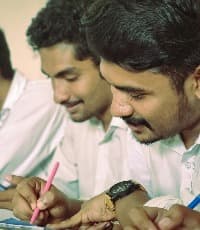
200 × 230 px17.7 KBJPG
The dashed frame on the left marks the part that fits the new shape. It was scaled to exactly 200 × 230 px, and the left and right edges outside the frame were trimmed.
The file went from 527 KB to 17.7 KB.
The image on the right is the actual file the tool above produced.
How to use it
- Choose the camera original: head and shoulders against a plain light wall, with a hand’s width of space above the hair. Caps, hats and dark glasses are ruled out by the notices.
- Add it and zoom into the preview once the resize has run. Chin and hairline should both sit inside the frame; if not, choose a shot with more space around the head.
- Read the KB figure. Between 20 and 50, save the JPG. Under 20, take the file to the 50 KB compressor with its minimum box ticked; over 50, the same page brings it down.
The notice wording, item by item
Photograph: “200 x 230 pixels (preferred); 4.5cm × 3.5cm”, JPG/JPEG, 20 KB to 50 KB, in the four IBPS notices; SBI, NABARD and the RBI Services Board give “200 x 230 pixels (preferred); 4.5 cm x 3.5 cm” with the same band. Preferred qualifies the pixels alone; the kilobyte range carries no such softening, and NABARD warns that a photo placed in the signature slot, or the reverse, means the candidate is not allowed to appear.
Three more files go with the photo, each into its own field. Left thumb impression: “240 x 240 pixels in 200 DPI (preferred) i.e 3 cm * 3 cm (Width * Height)”, 20 KB to 50 KB. Signature: 140 x 60 pixels (preferred), 10 KB to 20 KB. Handwritten declaration: 800 x 400 pixels in 200 DPI (preferred), 50 KB to 100 KB. For the thumb, type 240 in both boxes with the unit on px, since 3 cm at 200 DPI converts to 236, then add 200 DPI with the DPI tool; a pixel resize stores none.
Why a 3:4 phone photo loses a strip top and bottom
200 by 230 reduces to 20:23, a frame whose width is 87 per cent of its height. A phone portrait is 3:4, width 75 per cent of height, the narrower of the two. To fill 200 pixels across, a 3000 × 4000 shot is scaled to 200 × 267 and the 37 surplus rows are cut away, half from each end. A 3.5 × 4.5 cm studio scan is 7:9, closer to the frame, and loses 27 rows of 257.
“Lock aspect ratio” would avoid the trim but deliver 173 × 230, not the size the notice names, so it stays off. The centimetres on the notice describe a print, not the file, and nothing has to be converted for the form. A copy saved from a chat at 120 pixels wide is enlarged to 200 and turns soft, so start from the original.
Weight after the resize and the 20 KB floor
A 200 × 230 picture holds 46,000 pixels, and the JPG this page saves at quality 92 usually weighs 10 KB to 25 KB: the right side of 50 KB and often the wrong side of 20 KB, and the floor is checked as strictly as the ceiling. On the 50 KB compressor, the minimum option set to 20 raises JPG quality until the file crosses the floor and enlarges the pixels only when top quality still falls short.
Format follows the input. A JPG comes back as a JPG, as the notices require. A PNG stays a PNG and must go through the PNG to JPG page first, while an iPhone HEIC is saved as a JPG automatically. A busy background or a grainy low-light shot pushes the weight towards 50 KB even at this size; the same compressor brings it down.
Frequently asked questions
- What is 200 x 230 pixels in cm or inches?
- Nothing fixed without a DPI. At 300 DPI it is 1.69 × 1.95 cm (0.67 × 0.77 in), at 200 DPI 2.54 × 2.92 cm, at 96 DPI 5.29 × 6.09 cm. The form reads the pixel count; the 4.5 cm × 3.5 cm on the notice refers to the printed copy.
- The notice says preferred. Does the photo have to be exactly 200 × 230?
- The brackets soften the pixel figure, not the 20 KB to 50 KB band. This page makes the exact size in one step, so treat 200 × 230 as the size and the band as the rule.
- Why is my result 12 KB when the form wants 20 KB to 50 KB?
- Because 46,000 pixels on a plain background leave the encoder little to store. Open the 50 KB compressor, set its minimum to 20 and add this file; quality rises until the floor is passed, keeping 200 × 230 whenever that is enough.
- The card shows 173 × 230. What went wrong?
- “Lock aspect ratio” was switched on, so the whole 3:4 picture was fitted inside the frame and the width fell short. Select “Crop to fill” and run the photo again for the full 200 × 230.
- Will the portal take a PNG or a HEIC at 200 × 230?
- The notices name JPG/JPEG. A HEIC is turned into a JPG as it is resized here. A PNG keeps its format, so convert it to JPG first and then resize.