Marksheets are the hardest documents to shrink well. A single sheet carries a grid of subject codes, marks in a small typeface, a serial number, a seal and at least one signature, and all of it has to survive at a size a portal will accept. 300KB is roughly where a photographed marksheet stops losing anything a reviewer would notice, which is why this converter is fixed to it.
Add the semester or year pages in order and the tool builds one A4 PDF, looking for the highest JPEG quality at which the whole file stays under 300KB and reducing the picture dimensions only when it has to. The search is measured on the finished file, so the download does not overshoot the cap by a single byte.
Before and after
jpg-to-pdf-under-300kb.jpg
2400 × 1600 px315 KBJPG
compress-pdf-to-300kb.jpg
2400 × 1600 px585 KBJPG
compress-pdf-to-100kb.jpg
2400 × 1521 px213 KBJPG
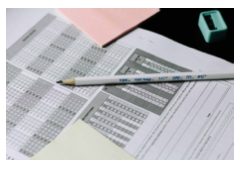
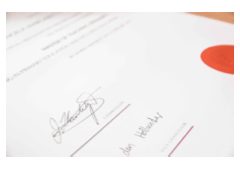
jpg-to-pdf-under-300kb-and-2-more.pdf
3 pages299 KBPDF
3 photos, 1.09 MB together, became one 3-page PDF of 299 KB.
Each photo sits on its own A4 page, turned landscape when the photo is wider than it is tall.
The JPEG quality inside the PDF was searched so the whole file stays under the 300KB limit; the photos were scaled down only as far as that needed.
The numbers are from a real run of the tool above. The pictures are previews of the first pages of the actual files.
How to use it
- Photograph or scan each marksheet in greyscale if the app offers it; colour is not needed for the marks to be read.
- Add the pages and arrange them so the first semester or the earliest year is page 1.
- The PDF is produced at once. The result card reports the page count and the size it landed at.
- Zoom in on the seal and the signature in the downloaded file before you upload it.
Keeping seals and signatures readable
JPEG compression discards fine, low-contrast detail first, and that is exactly what a rubber-stamp seal and a ballpoint signature are made of. The marks themselves, printed in black on white, hold up far longer. To keep the seal legible, give the converter a picture where the seal is already sharp and reasonably large: fill the frame with the sheet, hold the phone still, and avoid the glare a glossy seal throws back under a ceiling light. When a seal is faint on the original, a greyscale scan at 150 DPI captures it more evenly than a photo.
Why greyscale fits more
A colour photograph stores three channels, and the slight colour cast of paper under room light is encoded on every one of them. Converted to greyscale, the same page has one channel and no colour noise, so it reaches the same visual sharpness at a smaller size. A 150 DPI greyscale scan of an A4 page is around 150KB to 400KB as a JPEG, so a single marksheet often fits under 300KB before the quality has to come down at all, whereas a colour photo at 1MB to 3MB has to be reduced considerably.
Page order for multi-page certificates
Reviewers read a marksheet set from the earliest term to the latest, and a consolidated statement, if there is one, goes last. When a sheet has printing on the back, add the back directly after the front so the two sides stay together. The numbered list is the order the pages will take, and the arrows beside each picture move it one place up or down.
Frequently asked questions
- Will the subject codes and marks still be legible?
- Printed numbers in black survive well at 300KB, even for a three-page set. The first things to blur are the pale security pattern in the background and any light-coloured stamp, neither of which a reviewer needs. If the marks themselves look soft, the photo was too dark or taken from too far away.
- Can I put the 10th, 12th and degree marksheets in one PDF?
- Yes, if the form has one field for all of them. Three pages share the 300KB budget comfortably when they are shot cleanly. If each certificate has its own upload field, make three separate PDFs instead, one per field.
- What happens if the file is still over 300KB at the lowest quality?
- The pictures are scaled down in pixel dimensions and the quality search runs again at the smaller size. That is rare for a marksheet photographed with the page filling the frame and more common with very large scans, which hold far more pixels than the cap can carry.