A 250KB ceiling is an in-between figure. The big national exam bulletins mostly write 200KB or 300KB; 250KB turns up on the notices of individual universities and colleges, usually on a field that takes a bundle of certificates. This page is set up to compress PDF to 250KB with nothing to type: work begins the moment a file lands, and the finished document measures 256,000 bytes or fewer.
The file that has to meet the cap is usually a phone scan of two, three or four pages, saved at a megabyte or more per page. The notes below give the figures: how many kilobytes each page gets, what still reads clearly at that weight, and why a file another tool reported as 250KB can still be turned away.
Before and after


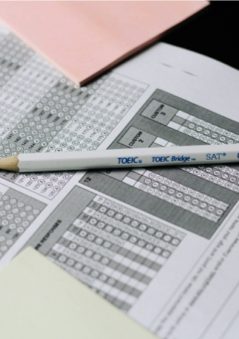
scan-3-pages.pdf
3 pages795 KBPDF


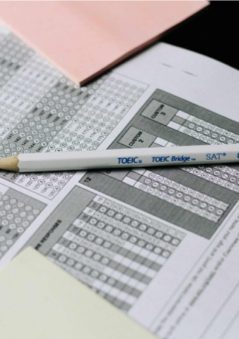
scan-3-pages-compressed.pdf
3 pages249 KBPDF
This 3-page scanned PDF was 795 KB. With the limit set to 250KB, it came out at 249 KB, which is 69% smaller.
Only the photos inside the file were re-compressed. The pages keep their size, and any text in the file stays selectable.
The numbers are from a real run of the tool above. The pictures are previews of the first pages of the actual files.
How to use it
- Add the scanned PDF, or the merged bundle if the notice wants every certificate of one kind in a single file.
- Compression begins on its own: the structure first, then the page images, each step measured against 256,000 bytes.
- Check the card: it names the stage, counts the pages and shows both sizes.
- Open the preview on the smallest print and the seal, then download the copy and upload it.
Where a 250KB limit comes from
The figure is not a national standard. In its notice for uploading certificates for Ph.D. admission in 2024-25, Dayalbagh Educational Institute, Agra, states that the maximum size of any document uploaded in JPEG or PDF format must not exceed 250Kb, and that only a single document is allowed against each category, so several certificates of one kind go in as a single PDF file.
Whatever the source, the check is done in bytes. This page counts 1KB as 1,024 bytes, so the ceiling is 256,000 bytes, and the card shows the finished file counted the way an upload script counts it. A tool that passes a file at 258,000 bytes because a file manager rounds it to 250KB is why a compressed document still bounces. If a portal counts in thousands, enter 244 in the size box; that clears either arithmetic.
What two, three and four pages keep at 250KB
Divide the budget by the page count and the outcome is predictable. Two pages have about 125KB each, more than a greyscale page of print needs, so the compressor stops at a high JPEG quality and the scan looks much as it did. Three pages get around 83KB each, enough for sharp body text and a readable rubber stamp, with the finest print just starting to soften. Four pages share 62KB apiece; typed matter stays clear, but a colour seal shows a little grain and a faint pencil note may fade.
Those weights are reached by re-encoding each page image at a lower JPEG quality, testing the whole file after every step, and reducing a page’s pixel size only when quality alone will not get there. Nothing is cropped or rotated; an A4 scan is still 210 × 297 mm afterwards. From about seven colour phone scans the second stage runs out of room and every page is redrawn as a low-resolution picture; the card says so, and splitting the bundle beats accepting a blur.
One document per category: merge, then compress
A notice that allows a single upload per category turns three sports certificates into one job. Join them with the merge tool first and bring the combined file here, because the ceiling applies to the whole upload, not to each certificate in it. Shrinking each one to 250KB and joining them afterwards gives a 750KB file the field refuses, and squeezing that again means paying for quality loss twice.
The same notice accepts JPEG as well as PDF. One certificate can go up as a JPG, which saves the few kilobytes a PDF container adds, so for a single page the image compressor set to 250KB is enough. Two or more pages have to travel as a PDF, since a JPG holds one picture. Scan them in greyscale unless a colour seal or photograph is being checked, and let the app crop to the edge of the paper.
Frequently asked questions
- Another tool gave me a 250KB file and the portal still refused it. Why?
- A file manager rounds; the portal does not. A result shown as 250KB may be 255,900 bytes, under this page’s ceiling, or 259,000 bytes, over it, and the second case is common. Run it here: the result is measured in bytes and returned at 256,000 or fewer.
- My PDF is 250KB and the form wants 200KB. Can I use this page?
- This page stops at 250KB and would hand the file back as fitting. Use the 200KB page, or type 200 into the size box here and run it again; the compressor then looks for the highest quality that stays under 204,800 bytes.
- Will a four-page scan still be readable?
- Typed text, yes. Four pages leave about 62KB each, and the compressor tests quality levels and keeps the highest that fits, so names, dates and signatures stay clear. A coloured seal picks up grain first, then very small print; check both in the preview at full zoom.
- Does compressing to 250KB lose quality on a digitally issued certificate?
- Usually nothing visible. A certificate downloaded from a university portal or exported from Word stores its words as text, which weighs very little, so the first stage, which repacks the file structure, often brings it under the cap on its own. If a pasted photograph keeps it over, only that picture is re-saved and the text stays selectable.
- My bundle is eight pages. Is 250KB realistic?
- Not without the pages turning soft. The second stage cannot hold eight colour phone scans under 256,000 bytes, so every page would be redrawn as a low-resolution picture. If the portal takes one file per category, split the bundle and give each part the full 250KB; otherwise rescan in greyscale at 150 DPI so each page starts far lighter.